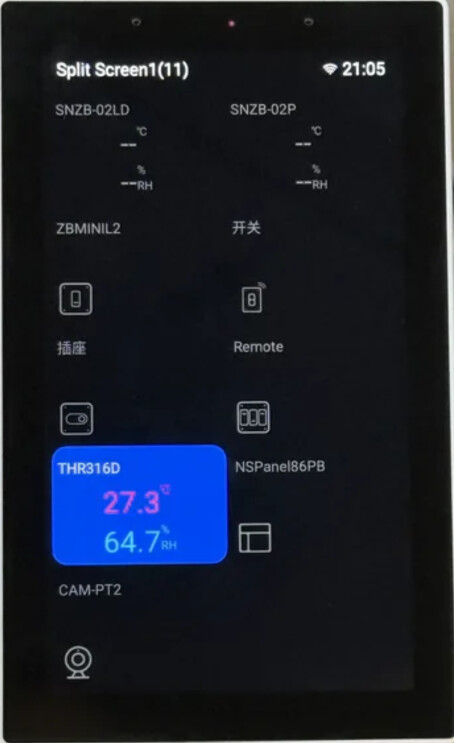
We Are Excited to Announce the Release of NSPanel Pro v4.1.0!
Dear NSPanel Pro users,
We are thrilled to announce that the NSPanel Pro v4.1.0 firmware is officially released! This update brings several major features, including support for Matter Bridge, Home Assistant integration, Matter SDK upgrade, and support for new SONOFF devices. Additionally, we have fixed some known issues to improve the stability and user experience of NSPanel Pro.
Thank you for your continued support and feedback — it is your active participation that drives the improvement of NSPanel Pro!
Let’s dive into the new features and operation guide for v4.1.0.
New Features Overview
Core Features
- Matter Bridge Chapter 1
- Export Zigbee Devices to Home Assistant
This release implements the features outlined in our product roadmap. Please refer to NSPanel Pro Roadmap and Co-Created Future for more details.
Note 1: The above 2 features work with eWeLink App v5.21.0 and above.
Additional Features
-
Matter SDK update: The Matter Hub and Matter Bridge feature are built on CSA’ official Matter SDK. Today we have managed to update the built-in Matter SDK to v1.4.
-
Expanded Zigbee Device Support: Support for SONOFF MINI-ZB2GS-L and SONOFF MINI-ZB2GS. Both of them are new SONOFF products which are coming soon, stay tuned!
Bugfix
- Several known issues have been solved.
Operation Guide
To help you quickly get started with the new features, we’ve provided detailed step-by-step guides for each major feature, including both eWeLink App and NSPanel Pro screen operations. Please ensure your NSPanel Pro has been upgraded to v4.1.0.
Note: v4.1.0 is a beta release for selected devices. If you would like to experience the latest features, please join through the NSPanel Pro v4.xx Beta Test Application Tool.
Matter Bridge Guide
With Matter Bridge , you can sync Zigbee child devices to Matter ecosystem for unified management.
App Operation Steps:
- Accessing the Matter Bridge feature:
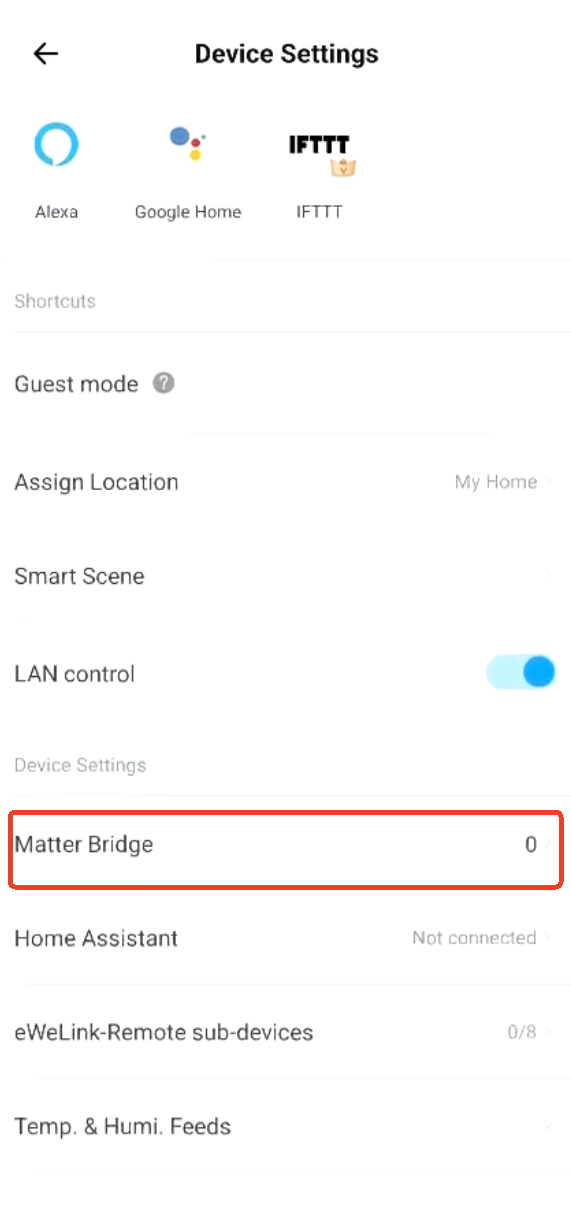
In the eWeLink App, tap on “NSPanel Pro device” → “Settings ” → “Matter Bridge” to enter the feature.

-
Enable Pairing Mode:
Tap the “+” icon in the top-right corner to activate Matter Bridge pairing mode.
-
Sync NSPanel Pro:
Scan the Matter pairing code from the App using a third-party Matter app or manually input the pairing code, and wait for successful pairing. -
Sync Zigbee Child Devices:
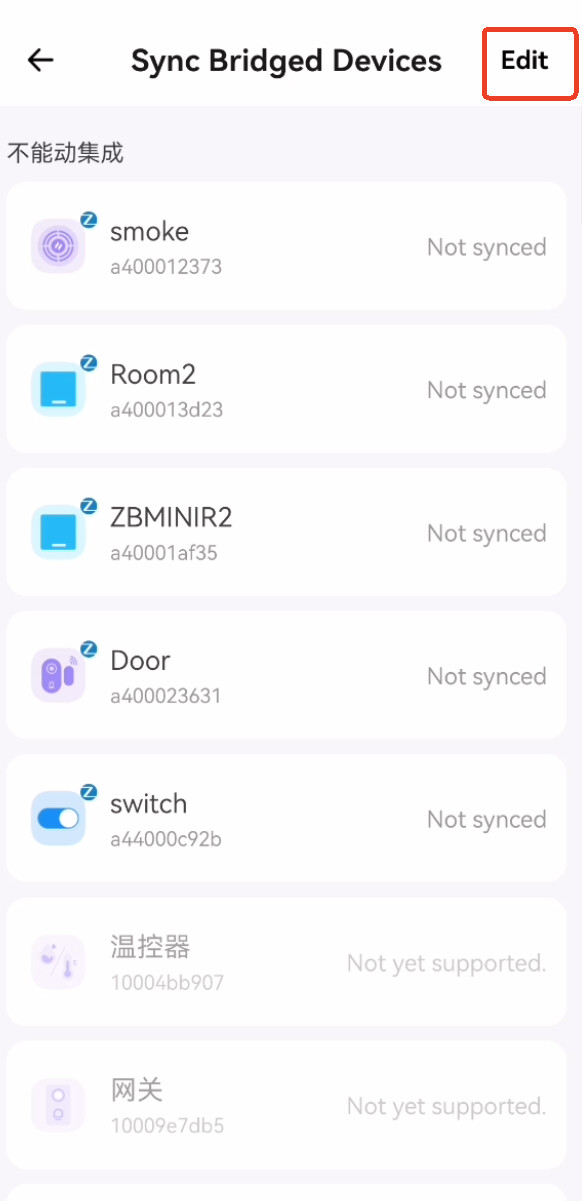
Tap “Sync Bridged Devices” → Edit → Select devices (multi-selection supported) → Save.



- View Sync Status & Control Devices:
Once the sync is successful, you can view the sync status in the App and control devices via the Matter platform.
Additional: On the Added Matter Platforms page, you can manage Fabric settings.
NSPanel Pro Screen Operation Steps:
-
Accessing Matter Bridge:
On the gateway’s home screen, swipe down to access the function menu, then tap “Matter Bridge.”
-
Enable Pairing Mode:
Tap the “+” icon at the top-right corner to start Matter Bridge pairing.
-
Sync NSPanel Pro:
Use a third-party Matter app to scan the Matter pairing code displayed on the NSPanel Pro screen or manually input the pairing code, and wait for successful pairing. -
Sync Zigbee Child Devices:
Go to the eWeLink App → “NSPanel Pro ” → “Settings” → “Matter Bridge” → “Sync Bridged Devices” → Edit → Select devices → Save.


- View Sync Status & Control Devices:
Once the sync is complete, check the status on the NSPanel Pro screen and control devices via the Matter platform.
Additional: On the Added Matter-supported Platforms page, you can manage Fabric settings.
Export Zigbee Devices to Home Assistant Guide
This feature allows you to sync Zigbee device data to Home Assistant via the MQTT protocol for advanced automation control.
App Operation Steps:
-
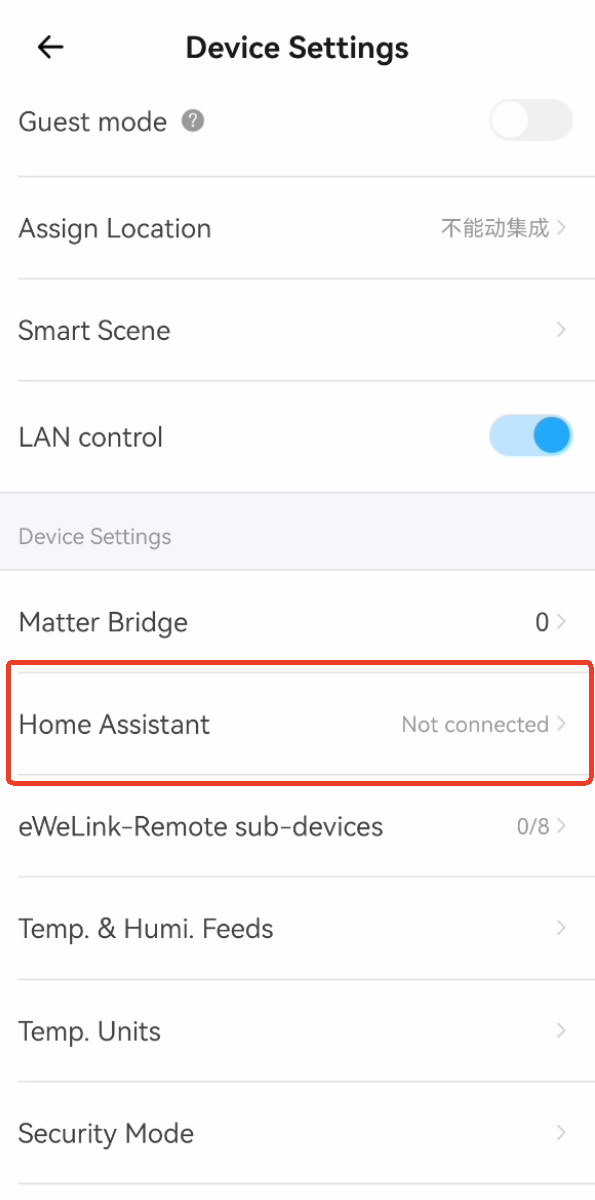
In the App, go to “NSPanel Pro device” → “Settings” → “Home Assistant”.
-
Tap “Experience Now” (or tap “View Supported Devices” to see compatible devices).
-
Auto Scan: NSPanel Pro will automatically scan for Home Assistant on the same local network. Select one from the list and proceed to the configuration page.
-
Input your MQTT Broker information (including Home Assistant IP, MQTT Broker port, username, and password), and enable the “Enable” switch.
-
Save Settings:
Go to “Device Management” → Select devices (multi-selection supported) → Tap “Sync.”
-
In Home Assistant, add the MQTT Integration and configure it with the same broker details. Devices should automatically appear. You can control and view them in Home Assistant under Devices & Services > MQTT Integration.


NSPanel Pro Screen Operation Steps:
Not yet available on NSPanel Pro screen. This feature is only available through eWeLink App.
Bug Fixes & Gratitude
In the v4.1.0 release, we’ve fixed several known issues. Special thanks to users who provided valuable feedback on our community forum. Their reports helped us quickly identify and resolve these issues. Below are some of the fixed bugs with their respective feedback links:
-
"Home Page Temperature & Humidity Source” Display Issue(Fixed display issue on some devices):
When using a single temperature sensor as the NSPanel Pro home page temperature & humidity source, the “humidity” field displayed as “–”. -
Screen Lock After Inputting RTSP Camera URL:
Setting the screen saver timeout to 15s caused the screen to lock when inputting an RTSP camera URL, and it couldn’t be unlocked. -
OTA File Not Deleted:
OTA updates did not delete old firmware packages, leading to increasing storage usage with each update.
We sincerely thank all users who reported issues! If you encounter any new problems after upgrading, please feel free to post in the forum or contact our support team. Your feedback is the driving force behind our progress.
Conclusion
The v4.1.0 firmware update brings more possibilities to NSPanel Pro. Whether it’s cross-platform integration or customizable control, this release is designed to meet your smart home needs.
Please upgrade now to experience the new features! If you have any questions during the upgrade process, feel free to discuss in this forum topic or provide feedback to us.
Thank you again for your support, and let’s build a smarter home together!
— The NSPanel Pro Team