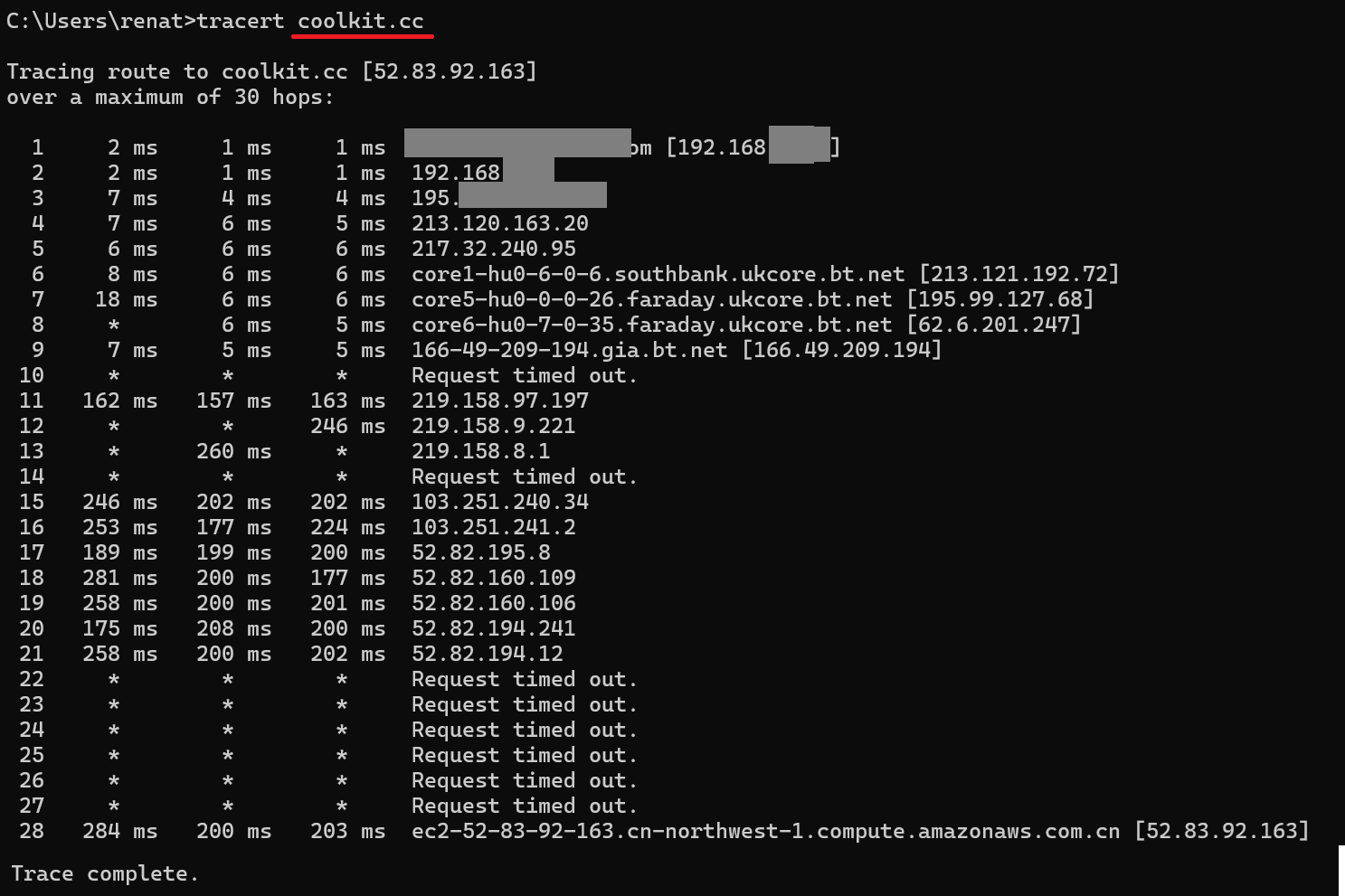
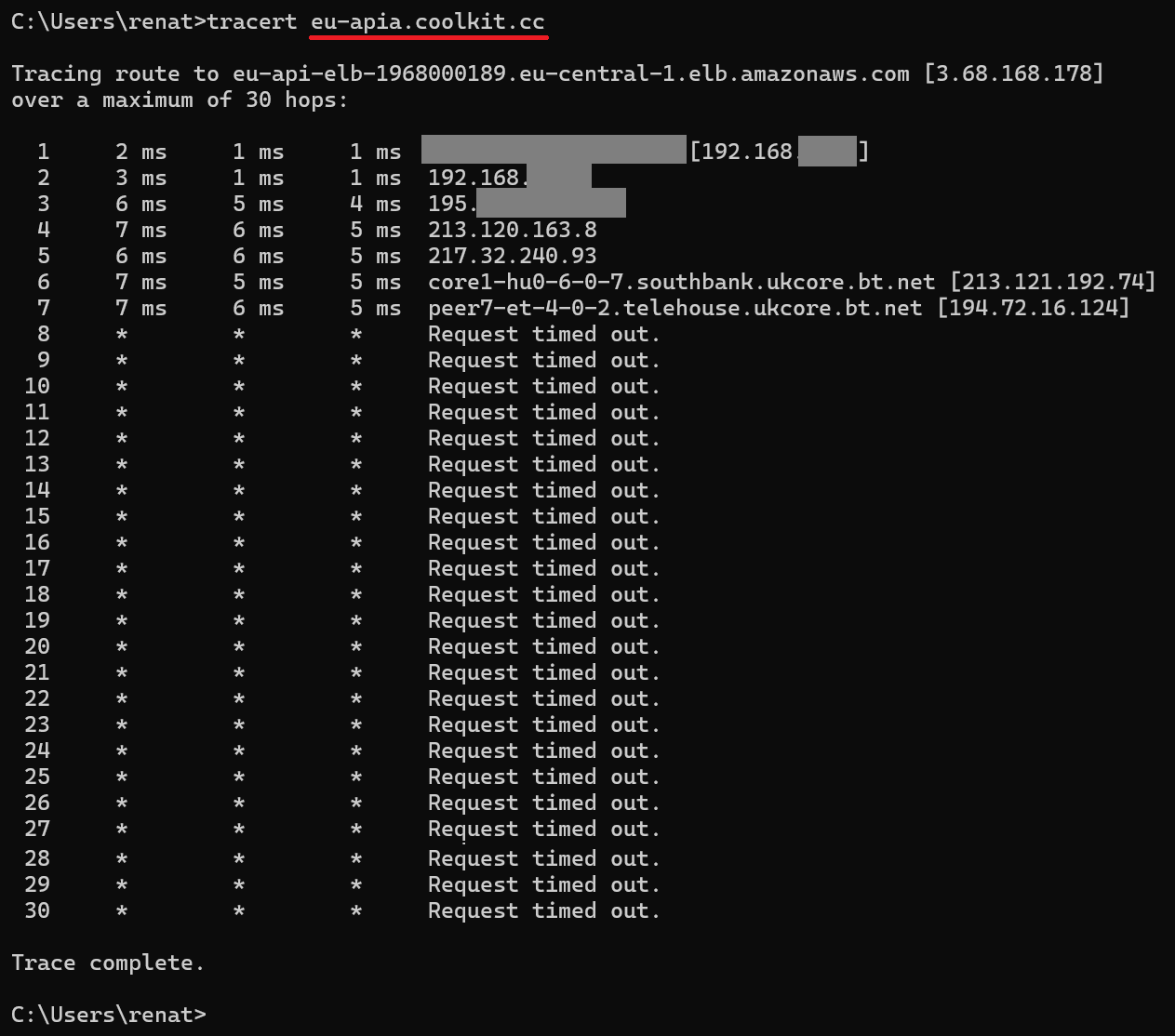
The wildcard is working, because also eu-apia.coolkit.cc is by-passed, but after certain hops, it’s resulting in Time Out (even without the VPN). I tried also 50 hops, with no success.
But I still have the same problem… All smart light switches Sonoff TX Series keep changing the status between online and offline, every 30 seconds.
Their wifi LED starts flashing (2 quick flashes - indicating it lost server connection) every 30 seconds, changing the status between online/offline on eWelink app.
Curiously, the Amazon France stock of ihost 4GB sold by Sonoff passed into the hands of amazon warahouse at the beginning of last week. Sold off “like new”.
So I decided to order one, while the return procedure (legal warranty) or the refund was done.
And if this stock is a defective series, I would have returned it within 30 days. there were 4 left.
The order was cancelled by amazon in less than 18 hours. There are no more items available
Exchanges on the open ticket are very slow and tedious.
This policy is beginning to raise serious questions. Amazon Prime does not provide any after-sales service. Unable to contact sonoff via Amazon. I have never encountered such opacity!
The ihost had to replace an Enky box to fully manage my devices on an http accessible platform. If I don’t get any support. I would have been better off betting on a jedoom box
If these domain bypass is not working for you, might be something else causing the problem.
Can you confirm when the device starts acting weird? Is it after you upgrade the firmware of your Sonoff TX Smart Light Switch?
Furthermore, can you try open a hotspot with your phone and re-pair your device with the hotspot.
If the problem persist, then is the device itself has some problem, and if everything works fine, then it might be the problem of your network setting.
My Sonoff mainly uses subdomains in coolkit.cc, at least recently from what I see in the DNS server logs.
In practice, all servers of the entire eWeLink infrastructure are on AWS, which means that in practice they connect to *.compute.amazonaws.com, but if you run the entire AWS via VPN, there will also be a lot of other traffic going there, not just eWeLink.
If you have the technical possibility on the router side, observe whether Sonoff maintains a TCP 443 connection to *.compute.amazonaws.com, if the session is broken, this may be the reason for the offline/online you are observing.
Also consider where devices receive responses from DNS. Because theoretically desynchronization can occur for the AWS geo cloud at different exits if the VPN is terminated somewhere extremely different than your ISP.
To be sure, make sure that Sonoff receives domain name resolutions from DNS for the VPN end location.
It shouldn’t matter, but if your Sonoff connects somewhere far away to another part of the cloud and the DNS resolutions point to a different zone, then maybe some strange phenomenon is happening. Because some clouds position traffic based on DNS to their closest CDN.
If you have a separate DHCP for these IOTs, advertise the specific DNS that is used in VPN traffic and also push this traffic through the tunnel.
In order to receive incoming traffic, an outgoing connection must first be established, otherwise incoming traffic will not be able to pass through.
A TCP connection must be established and this session must be open all the time, otherwise the two-way connection will be broken.
Perhaps the router or VPN provider closes inactive connections after 30 seconds. In this case, the sensor reconnects after losing the link to the server.
NAT/Firewall/VPN… it is possible that it closes the session that does not generate traffic, because there are usually no large transmissions there.
Are you sure you are not losing wifi connection between the router and the sensors?
The hosts are getting worse every time.. now alas they are just problems.
now even the cast section doesn’t work anymore, guys we are not really, I’m losing hope.