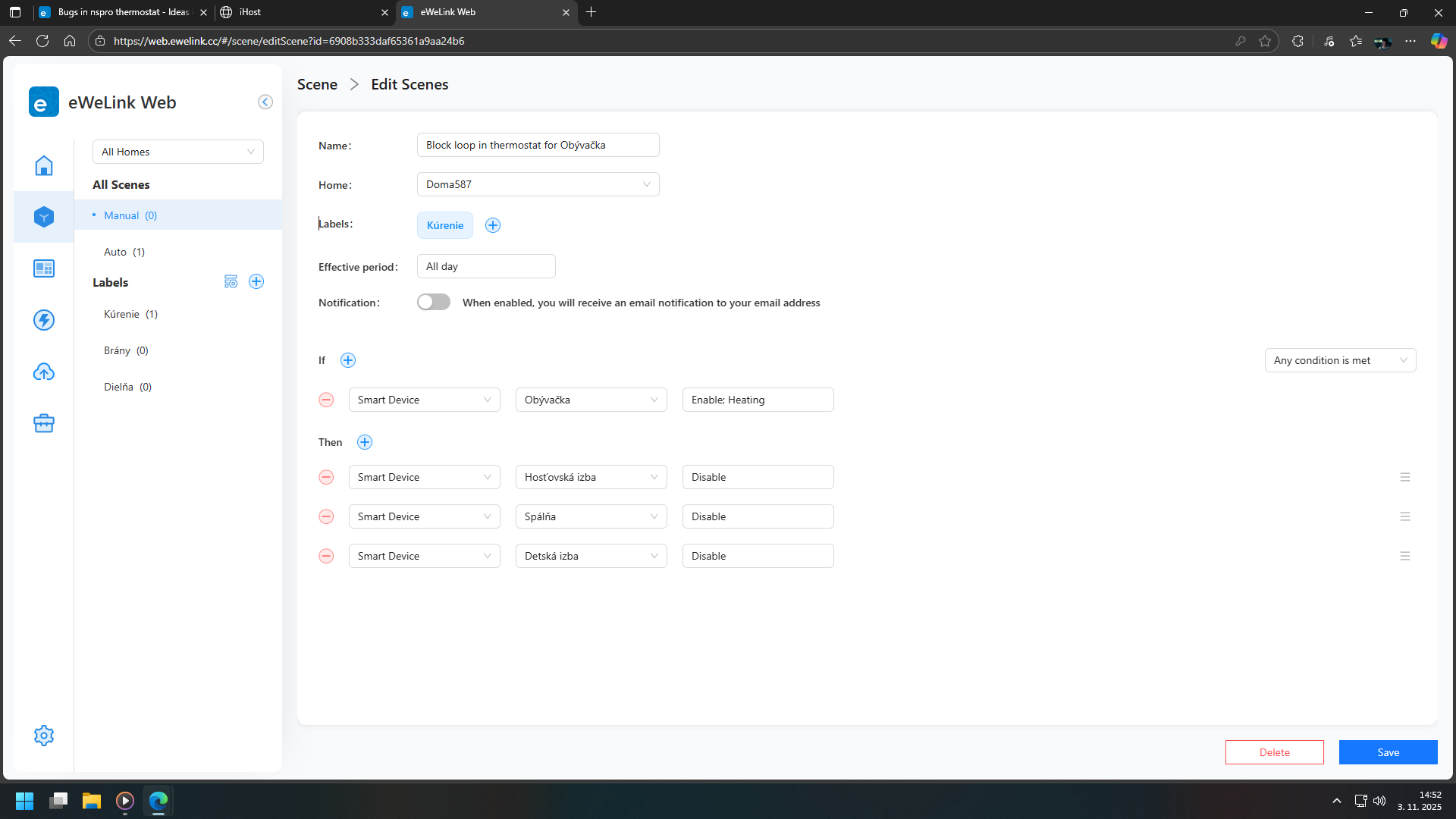
I am trying to link a scene to Thermo plugin, this is to overcome the limitation in the Thermo plugin that it can only act on one device. So I have a scene that switches on the desired number of devices, that I would like to trigger when the Thermo plugin switches on its single device. This is what me scene looks like -
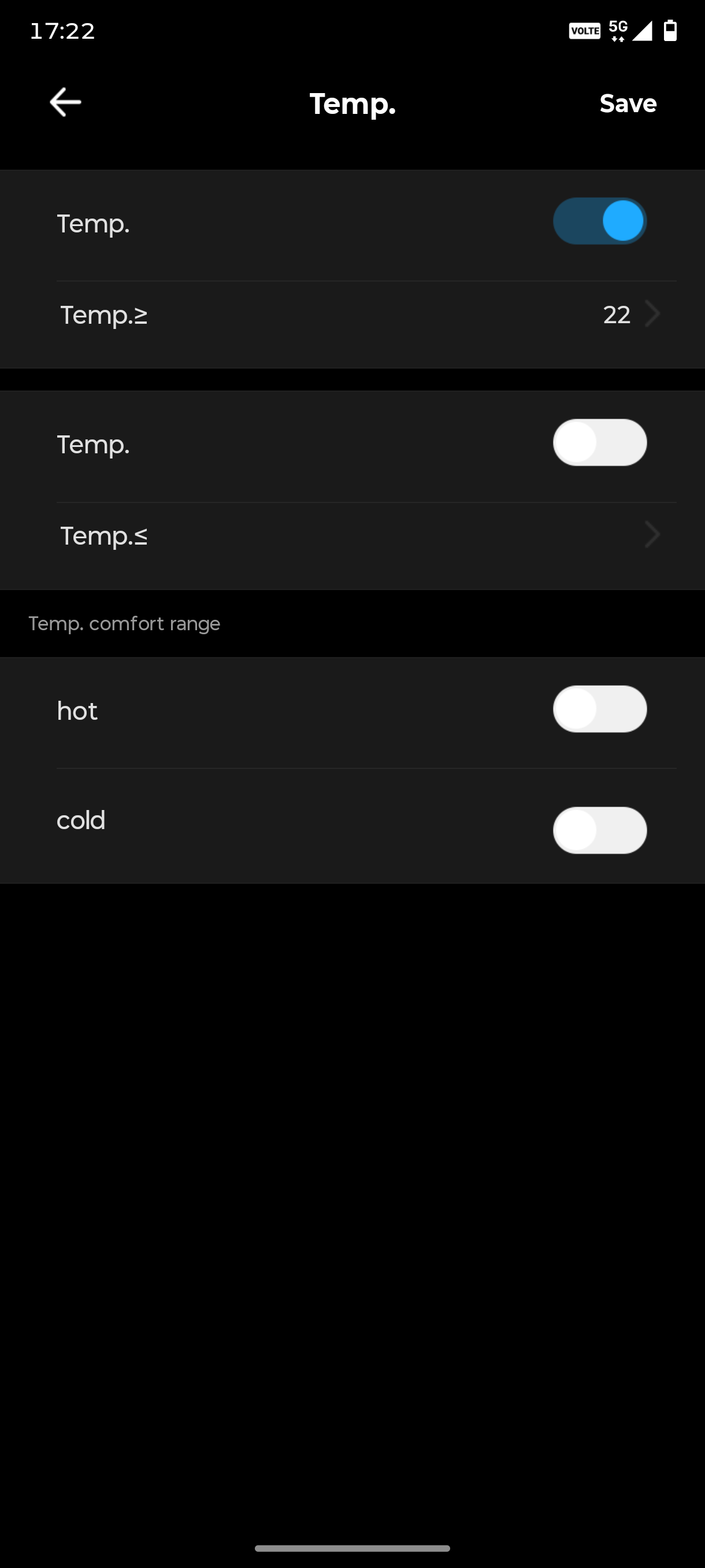
I do not understand either of these, I assume that Work mode is the status of the plugin, as the Enable/Disable options match the switching on or off of the plugin. Am I right? I had also assumed that the “Heating” tag is meaning the status of the plugin i.e. if it is switched to heat. But this is not working. I have a similar scene to switch off the same heaters. Is anyone able to give some guidance on how this should be setup. I can find nothing online.
I am generally ok with the Thermo Plug in and it work fine for me if I am switching a single device, but I need to switch 6 devices and so I need to use a group because the plugin only supports a single device. I could do it with multiple Thermo Plugin routines, but there is a limit of 10, and I need a total of 16. Therefore the group becomes an obvious way to do it. I could switch the 6 devices from within the scene rather than the group and see if that works.
This is how you monitor whether a device is on, like hey, it will turn on the selected device. But you need to make a scene that monitors whether the selected device is off and powers on the others
As said before, my challenge is that I wish to switch 6 devices from the Thermo plugin, but the plugin will only switch one device, also the plugin cannot switch a group. Hopefully these two limitations will be sorted soon and then the plugin will be very useful. Until then what I am trying is to switch a single device and then use a scene to respond to the state of the Thermo Plugin to switch the remaining devices and this is where I am struggling. Also The Thermo plugin itseldf is not performing as I would expect, This is tricky because the interface and terminology used is not clear. This is the schedule I have created -
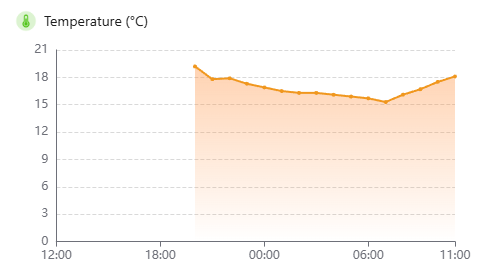
The intent is to acheive 18c from 7:30 to 9:30 and then 13c through the day until 16:30 when the temp should be raised to 16c until 18:30 when it can revert to 13c and then hopefull all off after 22:00. That is what I was hoping for but this is my temp chart for this morning -
As can be seen the temperature is still rising after 9:30, reaching nearly 18c at 11:00 at a time when it should havebeen at 13c for one and a half hours.
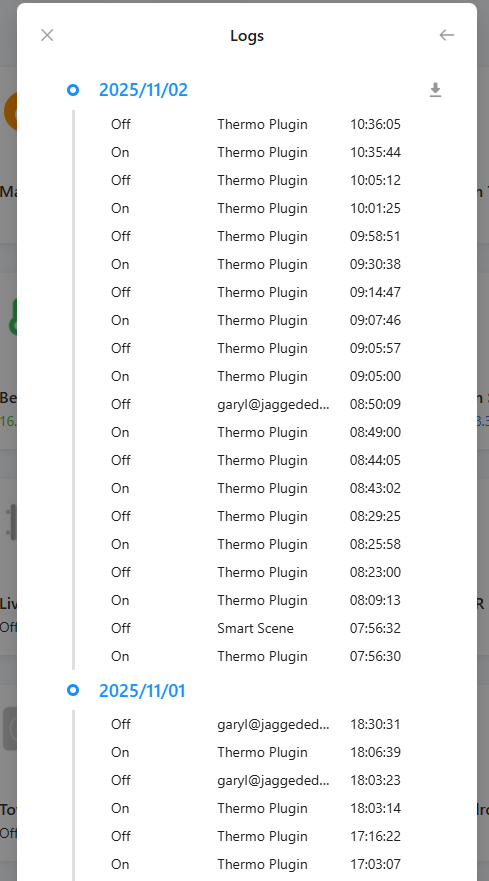
Firstly I have to ask why it is switching off the heater at 8:23, 8:29, 8:44 etc. when it hasn’t reached its target temperature? Then why is it continuing to switch the device on after it has done so?
I am clearly not understanding how the schedule works, any help would be brilliant. Thanks.
Does exactly what I did. I have warned Sonoff several times that they have a fault in the thermostat.
The created thermostats turn each other off and on. On one thermostat the target temperature is reached and on the other not. The thermostat turns on the heating and the other turns it off and so they are in a loop.
The solution is that when the thermostat is heating, the other thermostats will not be able to turn off the heating if they use the device together.
Imagine that if you have 4 thermostats and the first thermostat starts heating, it will turn off the other thermostats until the heating is finished.
This is how the heat pump, which cost 15,000 euros, keeps turning on and off. I wonder when someone will find someone who will want compensation for the destruction of the heat pump.
The orange line (target temperature) is what is interesting to me, because I would have expected it to maintain the target temperature set in the schedule, until it reached the next item, but it doesn’t, how are we to create the duration? The second uplift on the orange line is where I used the “keep” function to override the schedule.
Have they ever responded to your complaints/suggestions?
They try but they can’t do everything. They should give the choice of whether each thermostat is independent so that they can’t be influenced or normal mode.
They should remove the product until they get it to the point where it can do something of value, or give some level of qualification regarding its limitations. As you say, it could have damaged your kit.
I have now stripped out all of the thermostats that I had set up and am now only using it to heat our hot water so now just one thermostat controlling a single simple device and this is the end result. These screen grabs were taken at 16:45, when the target temperature had been 15c for nearly 12 hours and yet it has heated the water to a temperature of 18.7 degrees. Can you see what I am doing wrong?
I noticed that when I had the temperature set to 20 degrees, the heating continued even after the target temperature was reached. You need to check the accuracy of the temperature settings. If it is set to 5 degrees, it will heat 5 degrees more than the target temperature.
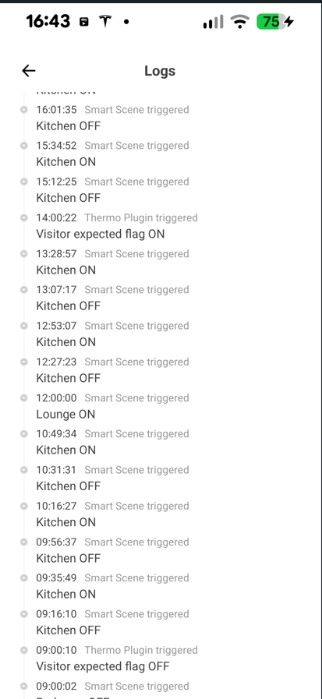
Hi. I am also trying to use Thermo Plugins to heat three zones. I have three Plugins, one for each zone. Each plugin links a SONOFF THR Elite thermostat to a different channel on a SONOFF 4Channel PRO, so all it does is switch the channel on or off. I then have a scene called ‘turn on heat pump’ that turns on the heat pump if any one of the channels is ‘ON’. I also have a scene called ‘Turn off heat pump’ that only turns it OFF if ALL of the channels are OFF. So the heat pump will be on if at least one of the thermo plugins is ‘heating’ and will only turn off once ALL of them are no longer in ‘heating’ mode.
The problems that I have with these plugins is that
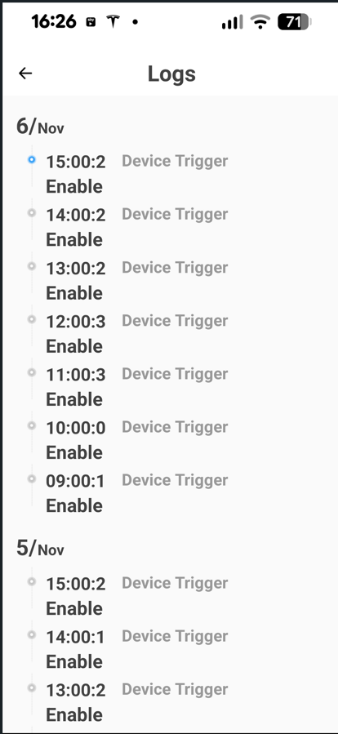
The schedules are often ignored (there is nothing in the logs to say that it has been ‘enabled’) so it is heating the house when I don’t want it to and
Even if the logs say that the schedule has been ‘enabled’, it still doesn’t actually change the target temperature so again the heater is ON when it should be OFF and vice versa
I’ve stopped using them for now because they are so unreliable.
What I don’t understand is that the software to run these plugins must be on a Chinese server somewhere since there is no physical device in my house anywhere, so surely they should be able to get the schedules to change at the required time!
Their thermostat and thermo plugin are not usable. I do heating in houses, but if the developers from Sonoff would like to advise, I’m available. Even stupid thermostats can do it better. But they are smart from Sonoff and I hope they fix it.
I’ve just sent this information to the support team in the hope that they can fix the problem.
I have set up a new thermo plugin just for this test.
It has a THR elite as the sensor and one channel of a 4 channel PRO as the actuator
It has a device ID of acb8001256. The temp accuracy is set to ±0.5 degrees
These are the schedules. As you can see, I change the target temperature to be the same value as the time, so at 9 o’clock I set the temperature to be 9 degrees etc.
I have electric underfloor heating and have been trying to control it with a plugin. My issue is that I have two thermometers - one in the room and one in the floor. I need the floor to only be powered when both are calling for heat, if either is warm enough, the heating should be off.
My initial plan was to use a virtual switch as the plugin actuator and then “AND” that with the floor stat. This didn’t work. Seemingly because the VSwitch didn’t onpass its status and drive the AND function (but bizarrely, only if it was driven by the plugin - it worked ok if you tapped the button on the switch “box”.
I’m now using the plugin as a smart device in a scene …