Do we have a changelog for v1.4.0 that’s now being advertised for update via Z2M?
3 Likes
Does anyone know what the new update 1.4.0 brings? and why it is not available on all TRVZB ?
I have three TRVZB but only one with new update available…
Is it worth updating?
Hello, sorry for the inconvenience. The information of V1.4.0 has been added to the log.
The new V1.4.0 has just been released, so not all devices will receive the update immediately — it will roll out to all devices within a few days.
If you’d like to upgrade your other two TRVs right away, please message me the device ID.
Hi Archarr
Only one device (a4800f9908) left with 1.3.0 at this moment 
Yesterday I discovered second TRVZB with new update available…
Thanks
1 Like
How do I make the practical use of this function? I haven’t managed to figure out a way, but the function is indeed interesting.
A single tap - but where? On the thermostat dial or the tile in the app? It may be very useful, but how do you start it?
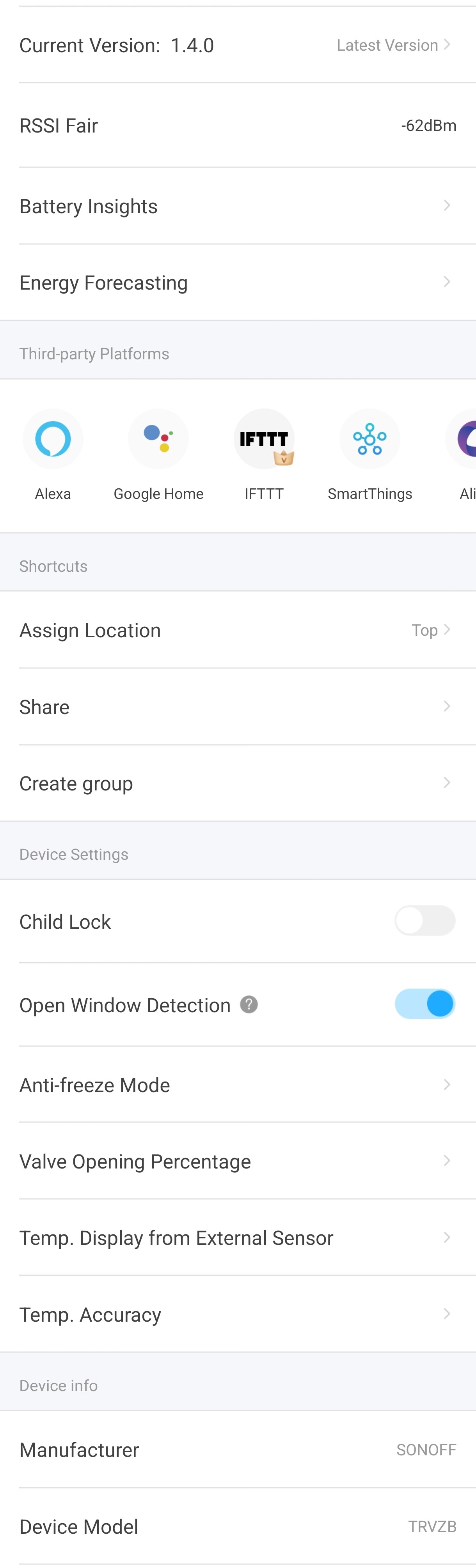
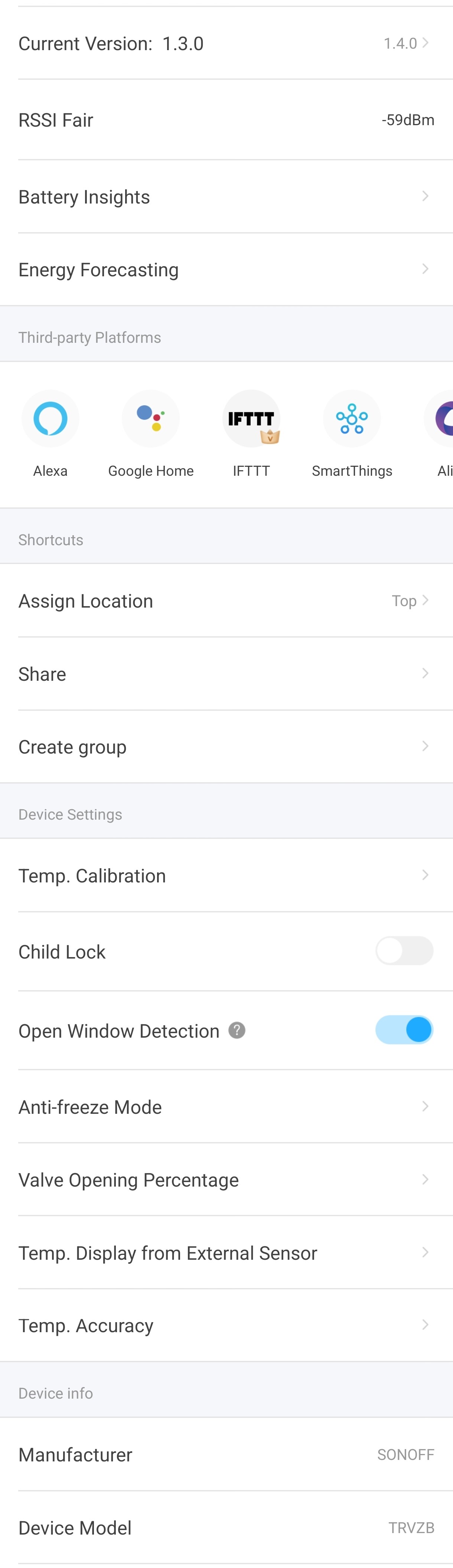
I updated to 1.4.0 but I don’t have all these new functions
Hello, so far I have only updated one head out of about 20 in 3 homes, but I also don’t have any additional functions, on the contrary I lost one. ‘Temp. Calibration’ is missing.
Dne so 15. 11. 2025 8:59 uživatel Raffy96 via eWeLink Forum <notifications@ewelinkforum.discoursemail.com> napsal:
1 Like
I think you also need to update your EweLink app and your bridge to the latestversions. Here is ZBBridge-U changelog, just as an example. You can see new functions added in last version.
V1.16.0(2025/11/10)
Optimizations:
-
Matter Bridge now supports syncing monthly energy consumption data from SONOFF S60ZB – including voltage, current, and power readings – to third-party Matter platforms.
-
Added two new temporary modes for SONOFF TRVZB:
-
Boost Mode – heats the room quickly for a short period.
-
Temp. Override Mode – temporarily maintains a set temperature.
I have ZBBridge Pro 2.7.0 and FW does not offer it and eWelink 5.21.1 and Google Play does not offer it either.
Dne so 15. 11. 2025 18:02 uživatel Marco via eWeLink Forum <notifications@ewelinkforum.discoursemail.com> napsal:
1 Like
I have exactly the same problem and I also can’t find the boost function and other new features.
I update my trvzb to 1.4.0 firmware, and I don’t see the new function s : boost and schedule, the screen rotation don’t run, and we lose a important function , the calibration of the temp measure on the internal sensor;
I work on the EWELINK app V5.21.1 with a ZBBridge-P firmware 2.7.0
3 Likes
It seems like Zbbridge-p still doesn’t support the new functions. Let’s wait for the next update 
Am I noticing that in the new update the setting to set an offset of the detected temperature has disappeared? Will he come back in the future?
1 Like
Everything worked fine with version 1.3.
The valve was set to open at 30%
and close at 91%.
This meant that when the radiator was closed, it did not get completely cold, and when it was opened, it did not work unnecessarily.
I updated to version 1.4.
Now this control does not work.
It displays the following error message:
“Invalid setting. The total of opening and closing percentages must exceed 100%, and the opening value must be greate than the closing value”
This makes the function unusable!
2 Likes
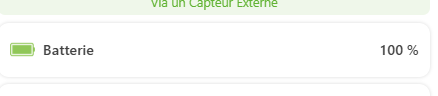
Depuis le passage du TRVZB à la version 1.4.0 le % de la batterie n’est plus présent dans STATE
Est-il possible de rétablir la fonction ?
24/11/2025 19:48:05 msg.payload : array[1]
array[1]
0: object
serial_number: “0x94deb8fffe2b424d”
name: “RAD_BRICOLAGE”
manufacturer: “SONOFF”
model: “TRVZB”
firmware_version: “1.4.0”
display_category: “thermostat”
capabilities: array[18]
[0 … 9]
0: object
capability: “temperature”
permission: “0110”
settings: object
temperatureCalibration: object
1: object
capability: “thermostat”
permission: “1100”
name: “thermostat-mode”
settings: object
supportedModes: object
permission: “11”
type: “enum”
values: array[5]
0: “MANUAL”
1: “AUTO”
2: “ECO”
3: “BOOST”
4: “TIMER”
2: object
capability: “thermostat”
permission: “0100”
name: “adaptive-recovery-status”
settings: object
empty
3: object
capability: “battery”
permission: “0100”
settings: object
empty
4: object
capability: “child-lock”
permission: “1100”
settings: object
empty
5: object
capability: “window-detection”
permission: “1100”
settings: object
empty
6: object
capability: “thermostat-target-setpoint”
permission: “1100”
name: “eco-mode”
settings: object
temperatureRange: object
type: “numeric”
permission: “01”
min: 4
max: 35
step: 0.5
temperatureUnit: object
type: “enum”
permission: “11”
value: “c”
values: array[2]
7: object
capability: “thermostat-target-setpoint”
permission: “1110”
name: “auto-mode”
settings: object
temperatureRange: object
type: “numeric”
permission: “11”
min: 4
max: 35
temperatureUnit: object
type: “enum”
permission: “11”
value: “c”
values: array[2]
0: “c”
1: “f”
8: object
capability: “power-percentage”
permission: “1100”
name: “open”
settings: object
powerPercentageRange: object
type: “numeric”
permission: “11”
min: 0
max: 100
unit: “%”
step: 1
9: object
capability: “power-percentage”
permission: “1100”
name: “close”
settings: object
powerPercentageRange: object
type: “numeric”
permission: “11”
min: 0
max: 100
unit: “%”
step: 1
[10 … 17]
10: object
capability: “thermostat-remote-source”
permission: “1000”
name: “temp”
settings: object
empty
11: object
capability: “thermostat-remote-source”
permission: “1100”
name: “bind-status”
settings: object
empty
12: object
capability: “thermostat-target-setpoint”
permission: “1100”
name: “manual-mode”
settings: object
temperatureRange: object
type: “numeric”
permission: “11”
min: 4
max: 35
temperatureUnit: object
type: “enum”
permission: “11”
value: “c”
values: array[2]
0: “c”
1: “f”
13: object
capability: “lqi”
permission: “0100”
settings: object
empty
14: object
capability: “rssi”
permission: “0100”
settings: object
empty
15: object
capability: “thermostat-target-setpoint”
permission: “1110”
name: “timer-mode”
settings: object
timeRange: object
16: object
capability: “screen-direction”
permission: “1100”
settings: object
empty
17: object
capability: “thermostat-target-setpoint”
permission: “0010”
name: “boost-mode”
settings: object
protocol: “zigbee”
app_name: null
state: object
thermostat-remote-source: object
bind-status: object
bindStatus: 3
updated_at: 1763924387881
rssi: object
rssi: -33
updated_at: 1764010071934
lqi: object
lqi: 255
updated_at: 1764010071935
thermostat: object
thermostat-mode: object
thermostatMode: “MANUAL”
updated_at: 1764007024008
adaptive-recovery-status: object
adaptiveRecoveryStatus: “INACTIVE”
updated_at: 1763925836945
temperature: object
temperature: 20.2
updated_at: 1764010071933
thermostat-target-setpoint: object
manual-mode: object
targetSetpoint: 17.5
updated_at: 1763934696434
tags: object
lastThermostatMode: “MANUAL”
online: true


1.4.0 update disapeared  as it is disaster
- open window doesn`t work
- open/close percentage dosen`t work as it should
- boost - never seen
How is it possible that they release an update that doesn’t work and I suspect it hasn’t even been tested?
Fortunatelly I still have one TRVZB with 1.3.0
The same problem continues to exist with one of my TRVs. The device is very close to the ZIgbee Gateway - RSSI -40dBm. But it does not want to update the firmware - it shows 1.3.0 as the latest. Re-logging into eWeLink did not help. Device number: a4801072a9. Can you help me?