Hi, sorry for the issue. There is a bug in previous and current v4.0.x firmware which doesn’t delete used OTA files. So after several update, these unnecessary OTA files have occupied a large amount of storage space.
You can follow the steps below to clear these OTA files. As a side effect, you will need to reconfigure your NSPanel Pro after that.
Note: Reconfigure only involves Language Setting, Country Setting, Custom Wallpaper, Custom Ringtone. Zigbee network, Wi-Fi etc., remain intact.






- Install
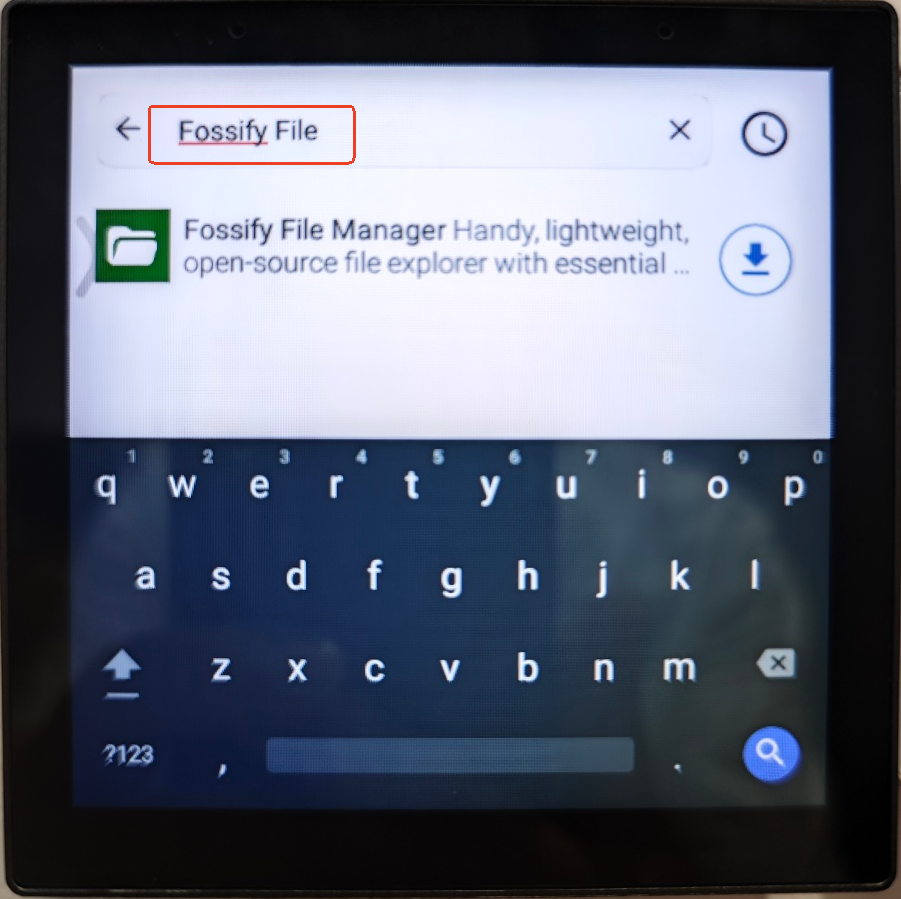
Fossify File Managerthrough F-Droid (Top drop-down menu -> F-Droid -> Latest -> Search "Fossify File") - Open
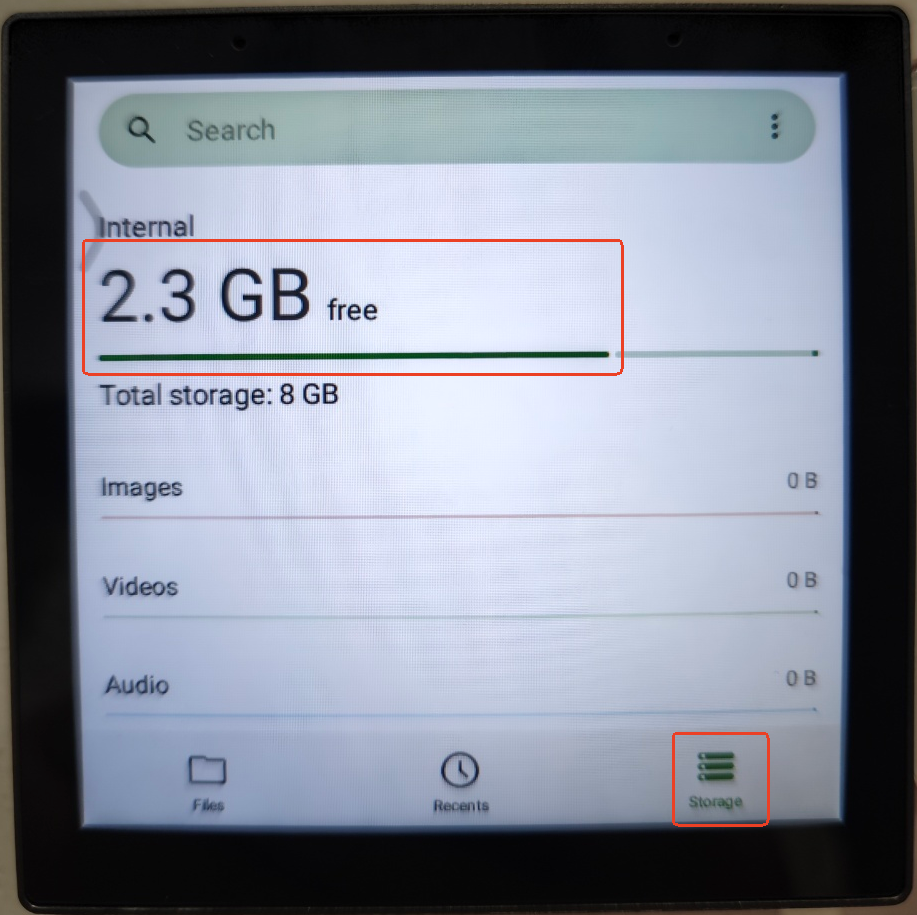
Fossify File Managerand press bottom tabStorage. You can see how much storage space is left. It should be 1.8GB at least in normal operations. - Press the number of the free storage, scroll to
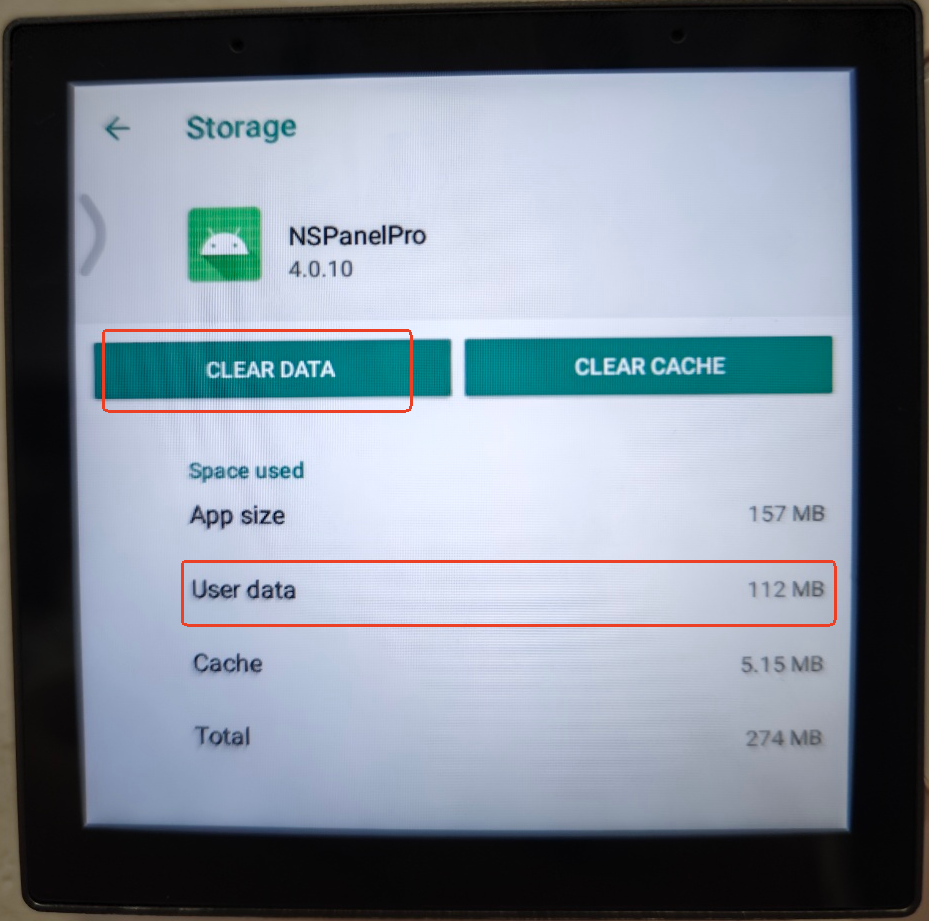
Other appsand press it. You can see the list of installed apps and the storage space they occupy.NSPanelProApp should take no more than 500 MB. In your case,NSPanelProApp is possibly occupying more than 1 GB storage space. - Press the name of
NSPanelProApp, and then pressCLEAR DATAbutton to recycle storage space. You will notice theAssistiveTouchbutton on the top left side is gone, becauseNSPanelProApp is stopped in order to clear its user data. - You need to power off NSPanel Pro device in order to reboot into Home screen again.
Please let me know if above method solves your issue.
PS: As a last resort, you can always do a Factory Reset. The cost is a bit high. You will need to do all the configurations again, including re-pairing Zigbee devices.