Can’t update my TRVZB after failed update

Hello everyone!

I couldn’t update a few TRVZB devices under the Bridge-U V1.16.0 firmware. Now that V1.17.0 has been released, I managed to update the ones I hadn’t started to update before. However, the three TRVZB devices that couldn’t be updated, got stuck on firmware version 1.3.0. When I try to update them, it says that no new update can be found. What can I do? Thank you for the support!

Same for me, when i press update from 1.3.0 to 1.4.1, it writes “success” and thats all. Tried resetting trzvb, still no luck. All 6 pieces same issue

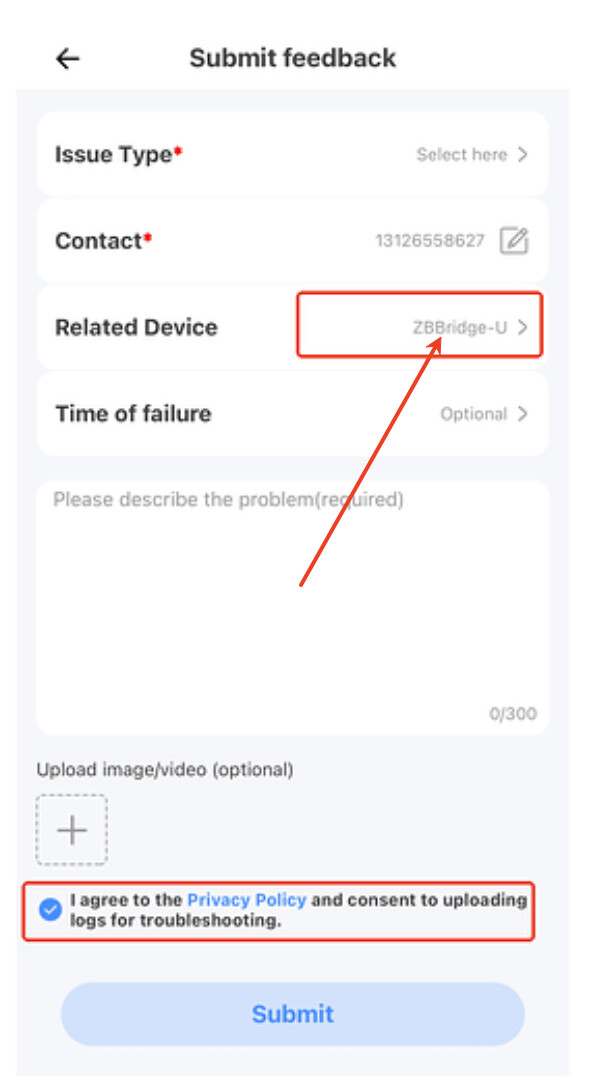
You can submit log feedback in the App. This can help locate the problem. You can follow these steps to submit feedback logs:

  1. Open the eWeLink App and go to the “Profile” menu.
  2. Find the “Help & Feedback” function.
  3. Tap the “Feedback” button in the upper right corner.
  4. Tap the “Submit Feedback” button at the bottom of the page.
  5. When submitting your feedback, select ZBBridge-U as the related device.
  6. Describe the issue you encountered, and try to include the operation steps and the time when it occurred.

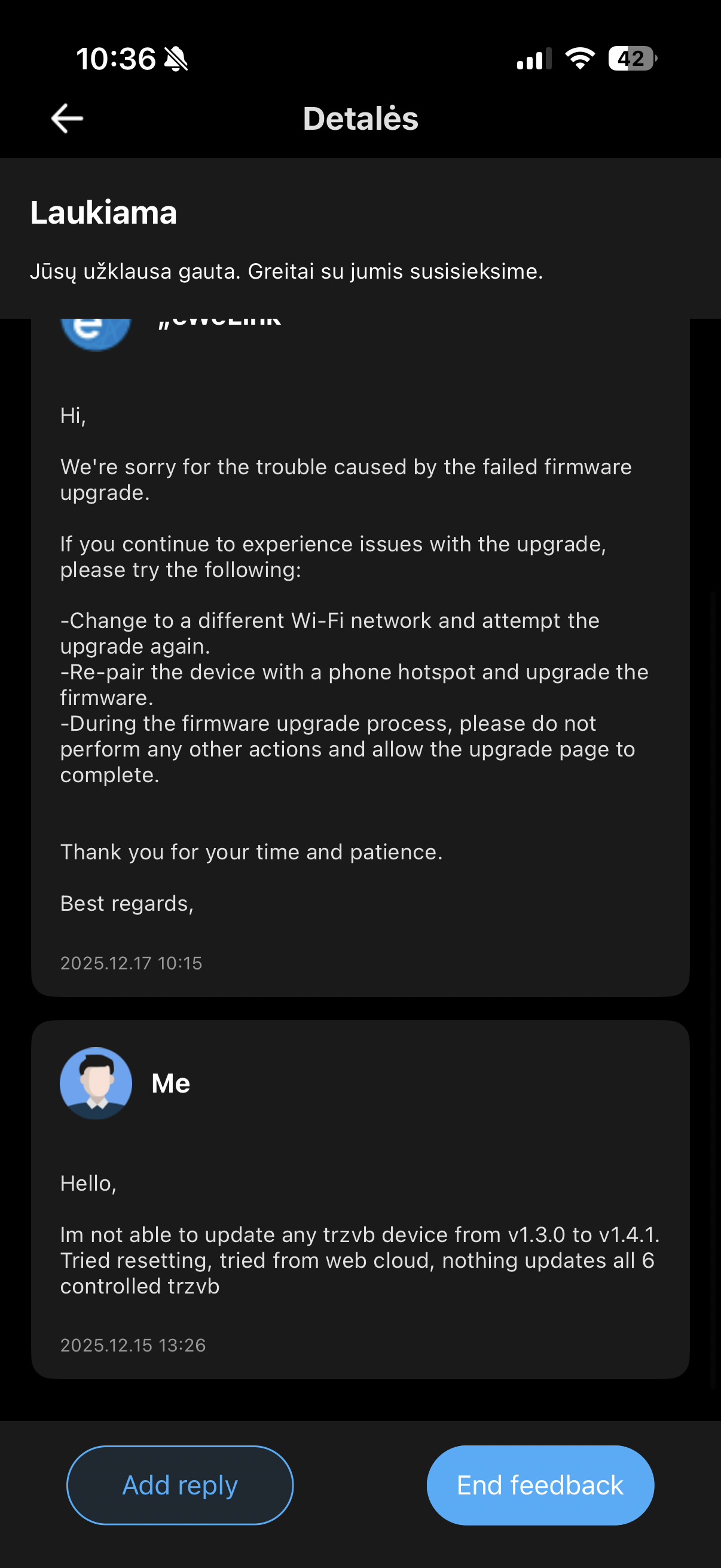
Submitted but response a bit strange, suggesting changing WiFi network while TRZVB are zigbee…

We sincerely apologize for any inconvenience caused.
Could you kindly re-submit the logs for further analysis?
Please ensure that you select your ZBBridge-U device when submitting, so that its logs are included in the report.
please refer to the image provided below.

Hello, thanks! After yesterday nspanel pro update, it started to work! :slight_smile:

Do you mean you’ve already added TRVZB to the NSPanel Pro?